 Free on iPhone and Android
ReNote Ai App
The app is where your pages live. Write with rPen or an rBook, and the app turns your handwriting into text, tasks, summaries and answers.
- OCR
- Sketch to image
- Text extraction
- Ask Ai
- Ai actions
- Grammar check and rewrite
- Voice transcription
- Talk to Ai
(ReNote Ai on the App Store and Google Play)
Ai premium features free with every rPen and rBook. Every Ai feature, unlocked from day one. Shop rPen · Shop rBook
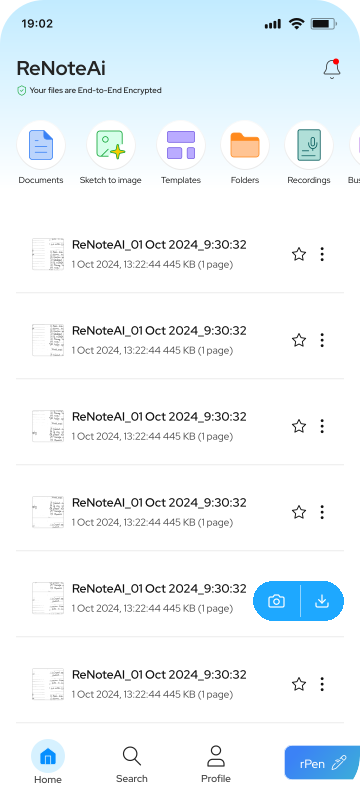
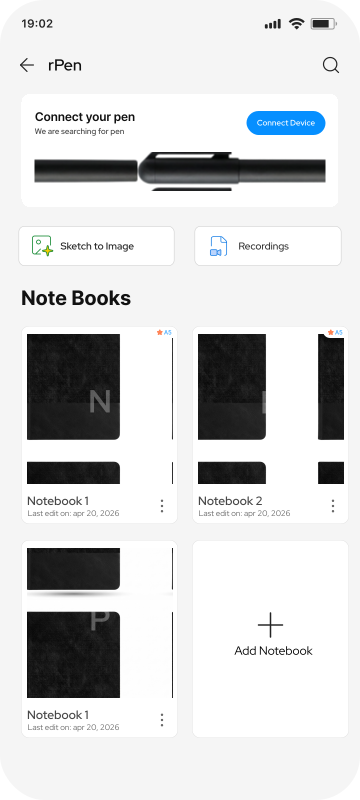
Works the same with rPen and rBook
How to convert handwritten notes to text
- Write. On any page, in an rBook, or with rPen on its Smart Book.
- Scan or sync. Open the free ReNote Ai App and point the camera at the page: it finds the edges, crops and cleans it up. With rPen, pages arrive in the app as you write.
- Get text. The app turns your handwriting into editable, searchable text, in 45+ languages. Copy it, share it, translate it, or ask the Ai for a summary, a task list or an email.
What the app does
Your handwriting becomes clean, editable digital text.
Reads printed text in 200+ languages, ready to copy, search or share.
Turn a sketch into a photorealistic, Ghibli-style or manga image, or describe your own style. 2K output.
Ask questions about your notes and get answers from your own pages.
The app finds emails and tasks in your notes and gets them ready to send or save.
Check grammar and rewrite your text in a tap.
Record in the app and get a transcript, summary and key points.
Speak to the app and hear it answer, hands-free. Talk to the Ai in 24 languages.
Private by design
Your notes are yours alone.
- AES-256 encryption at rest, TLS encryption in transit
- Built in line with India's DPDP Act and GDPR. We never sell your data.
- Download or share any note from the app, and delete your account from the app at any time